
How To Run Stable Diffusion
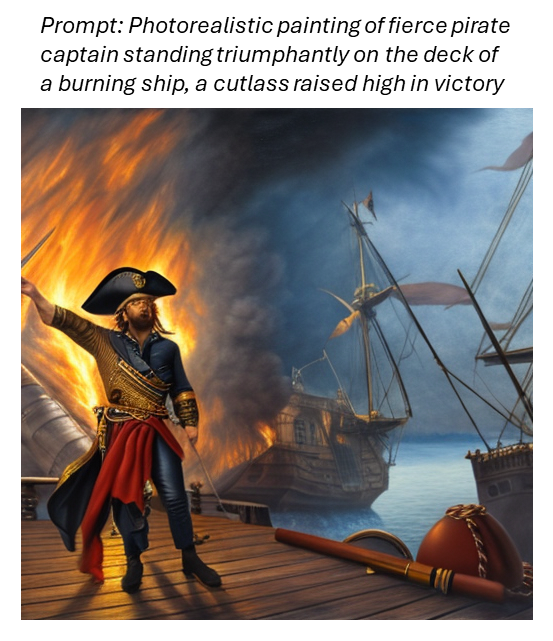
When it comes to image generation, Stable Diffusion is a solution that is used by AI enthusiasts, artists, professionals, and novices alike. The model can transform text descriptions into visually stunning images. It's popularity rivals that of well-known models like models like DALL-E and Midjourney. What sets Stable Diffusion apart is that it's open-source and can be customized to suit the needs of the user!
This powerful text-to-image synthesis model is available for use on the GravityAI platform. This blog post will guide you through the inner workings of Stable Diffusion and show you how to adjust its parameters to generate some pretty stellar images.
How Stable Diffusion Works
Stable Diffusion belongs to a class of generative models known as diffusion models. Diffusion models generate data that is similar to what was seen during training by first adding random noise to the original data and then learning to reverse the process.
This process can be liked to artist sketching a detailed drawing in the sand by the beach, only to scatter it by sprinkling random grains of sand all over it. The artist then meticulously removes the grains of sand, revealing either the original drawing or something entirely new.
Diffusion models can be used to generate data of all kinds. In the case of Stable Diffusion, it's used to generate new, never-before-seen images.
Stable Diffusion Architecture
https://cdn.gx-staging.com/Stable_Diffusion_Architecture.png
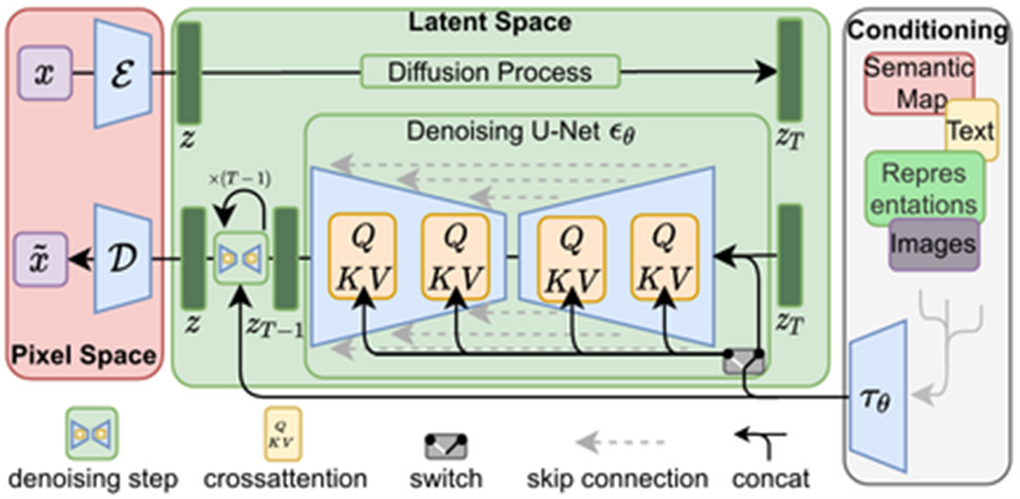
Stable Diffusion is made up of three key elements:
- Variational Autoencoder (VAE): The VAE is used to compress images into a lower-dimensional representation, or latent space, for efficient processing.
- U-Net Model: The U-Net model carries out the denoising process. It's trained to iteratively remove noise from latent image representations and enable the creation of detailed images.
- CLIP Model by OpenAI: The CLIP model which is used to translate text prompts into a latent image representation that Stable Diffusion can work with.
Putting the components together here's what the image generation process looks like:
1. A user provides a detailed text prompt of the desired image.
2. The CLIP model translates the text prompt into a latent representation.
3. The U-Net model uses the latent representation to create a denoised image representation.
4. Finally, the VAE's decoder is used to transform the image representation into a high-resolution image.
Exploring Stable Diffusion's Parameters
Stable Diffusion offers several parameters that can be tweaked to control the level of detail, variety, and diffusion speed of the resulting images. The Stable Diffusion model on GravityAI allows users to tune the following parameters:
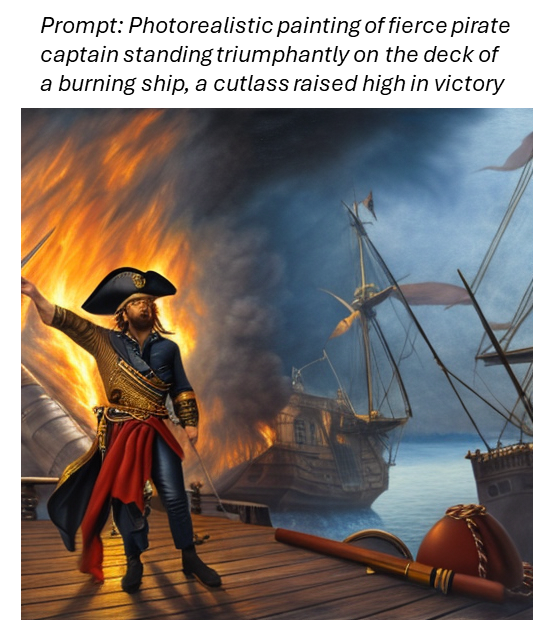
1. Prompt: The prompt serves as the model's primary creative driver. The more specific the text description, the closer the generated image will align to the description.
https://cdn.gx-staging.com/Slide1_1.png
2. Width and Height: These parameters allow users to define the dimensions of the generated image. Stable Diffusion is optimized to generate 512 x 512 images. Adjusting these parameters may affect generation times and memory usage.
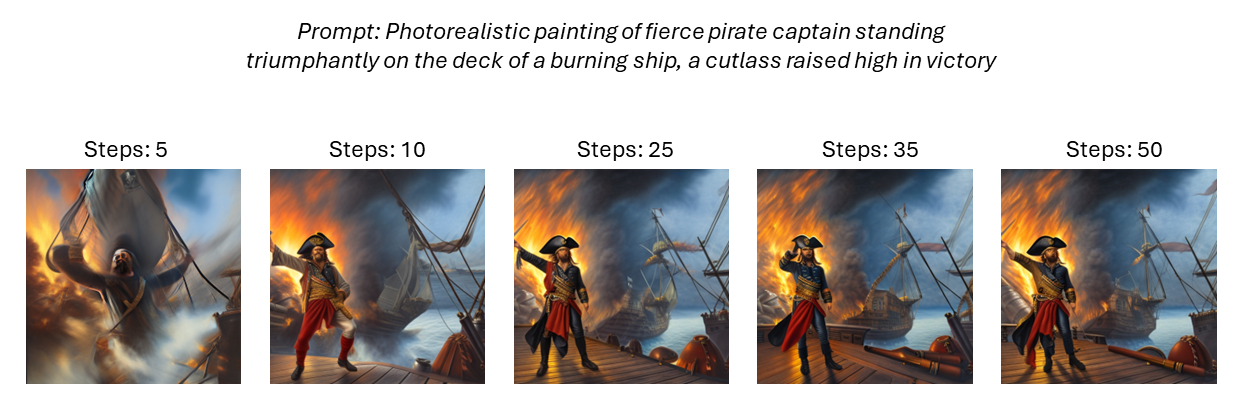
3. Steps: The steps parameter controls the number of denoising steps taken during the generation process. More steps will refine the image further. For quick tests, we recommend step values between 10 and 15. For more detailed results use a step value between 20 and 40.
https://cdn.gx-staging.com/Slide2.png
4. Samplers: Samplers are algorithms that shape how Stable Diffusion iteratively denoises the image. Different samplers can emphasize realistic or artistic styles. The gravityAI model supports three types of samplers: DDIM, DPM, and PLMS. Experimenting with the sampler, in conjunction with the steps, controls the quality of the image generation.
https://cdn.gx-staging.com/Slide3.png
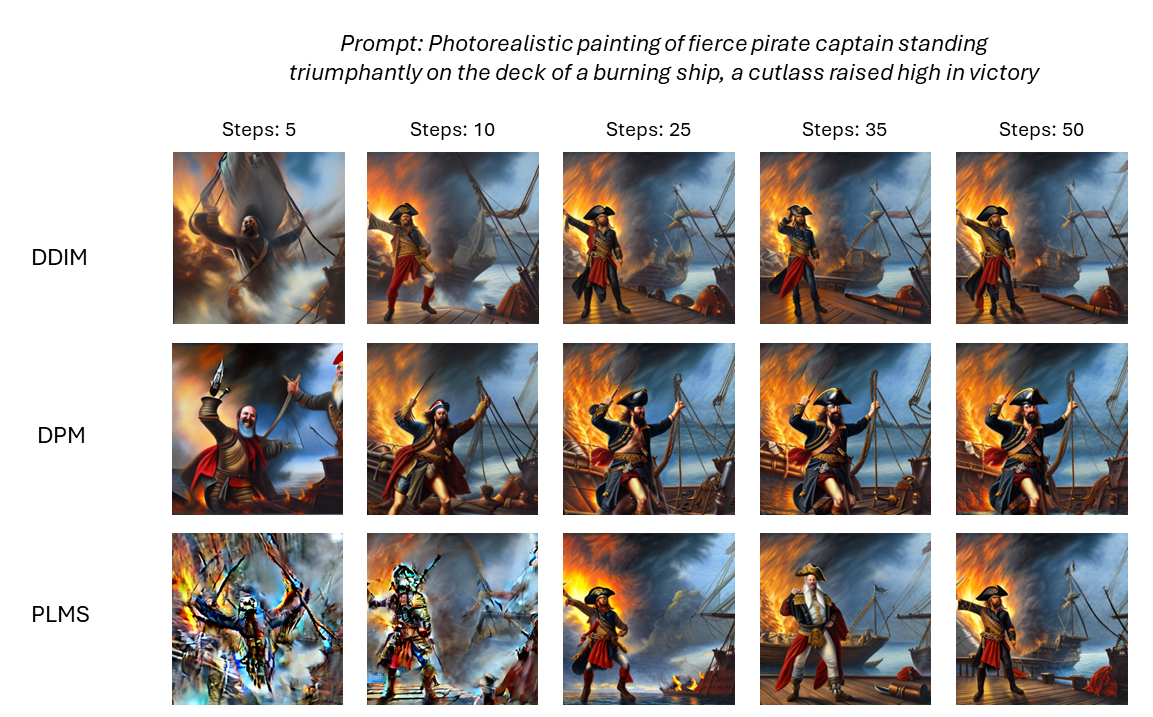
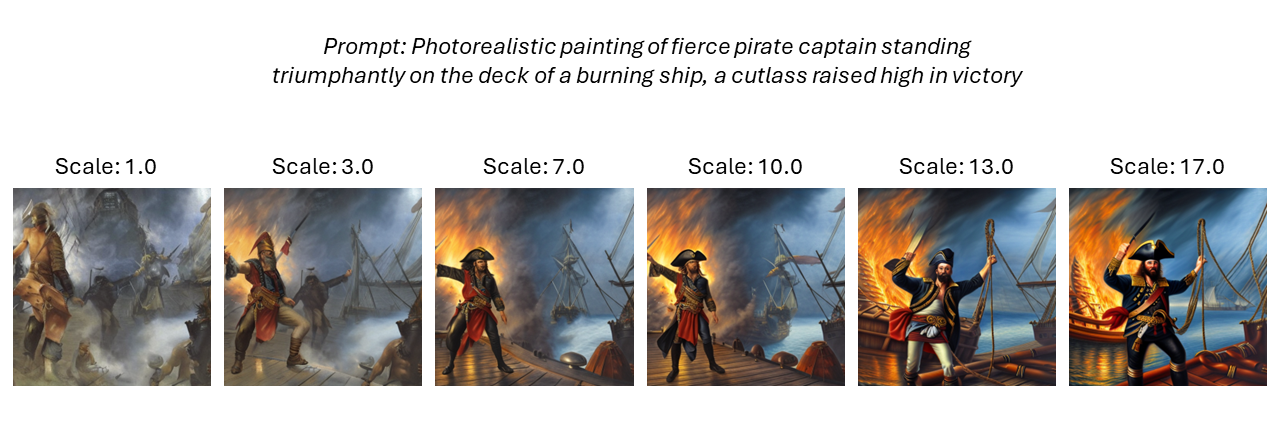
5. Guidance Scale: The guidance scale controls how much Stable Diffusion follows the text prompt. Lower values give the model more creative freedom when generating the image. Higher values force the model to follow the prompt closely. For a good balance between creativity and quality, we recommend using a guidance scale between 7 and 13.
https://cdn.gx-staging.com/Slide4.png
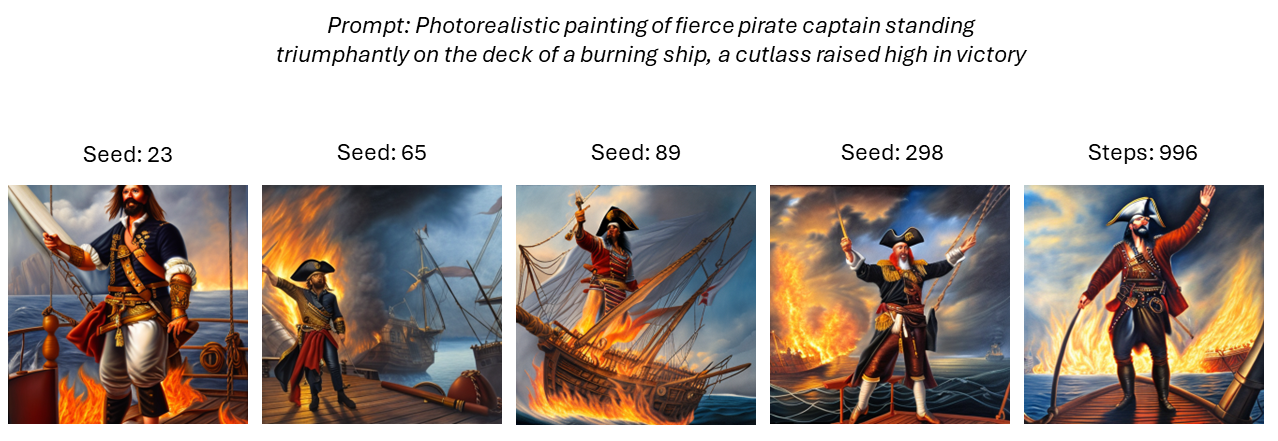
6. Seed: The seed serves as the starting point for your image generation. Identical prompts and seeds will always produce the same results. Use this parameter to revisit or compare previous creations with slight modifications.
https://cdn.gx-staging.com/Slide5.png
Ready to Dive In?
Head over to GravityAI's Marketplace and explore the Stable Diffusion model we offer! Create a free account today and unleash your creativity.