
Place faster. Keep the file behind every recommendation.
gravityAI turns your models, connectors, and workflows into governed components deployed inside your own cloud, running across every agency you have acquired. Each one carries its risk tier, its documentation, and lineage back to the data and version behind it, so the record exists before anyone asks for it.
Book a 30-minute diagnostic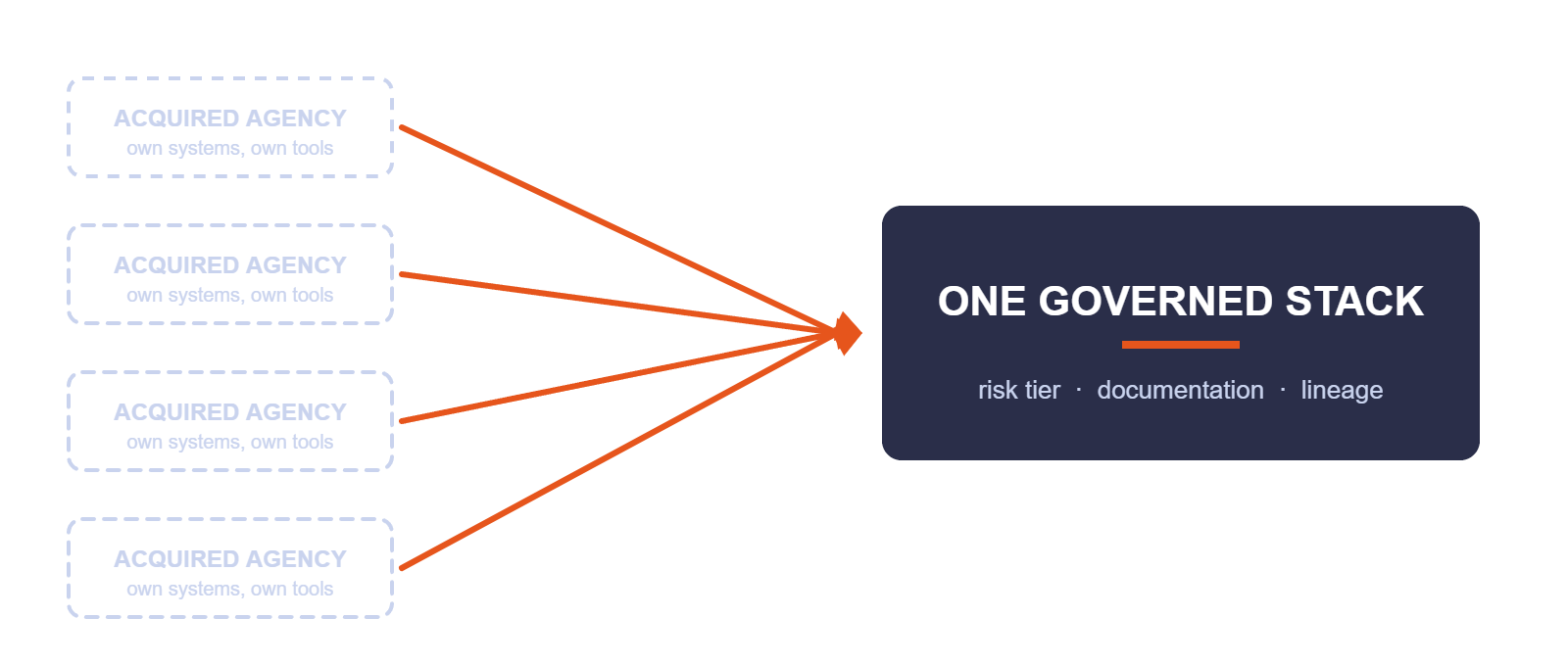
Three ways scale works against you
Brokerages grow by acquisition. The systems arrive with the revenue.

Governance is a property of the artifact
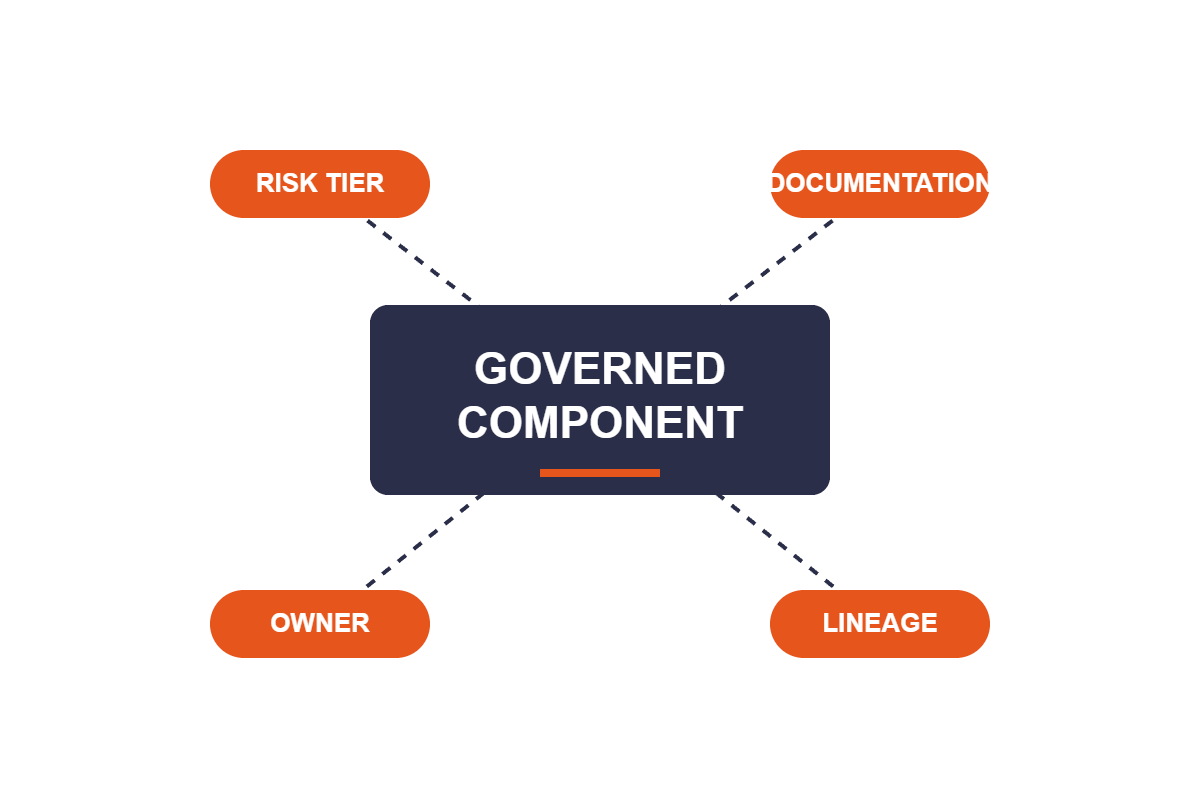
gravityAI is an AI toolbox and governance platform for regulated firms. Models, data connectors, and client-facing workflows become governed microservices, deployed inside your own cloud.
Risk tier, documentation, ownership, access, review checkpoints, and lineage travel with the component from the moment it is deployed. Using the platform produces a documented artifact every time, by construction.
Components run against the agency systems you already have rather than requiring one. That is what lets a method built for one region reach a newly acquired office without waiting on a platform migration.
What governed actually means
| Control | How it works | Why it matters |
|---|---|---|
| Inventory | Every model, connector, and workflow registered as a deployed component | One view across every agency, region, and system you have acquired |
| Risk tiering | A risk level assigned to each component at deploy time | A renewal summarizer and a coverage recommendation stop sharing one approval path |
| Review checkpoints | Human-in-the-loop steps placed wherever output reaches a client or a carrier | A producer signs off before advice leaves the firm |
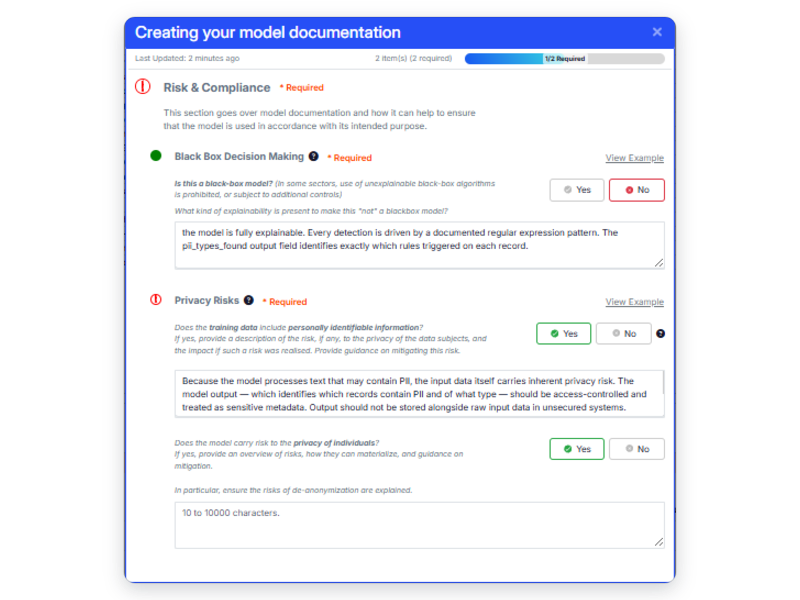
| Documentation | Business context, implementation detail, and risk assessment generated alongside the artifact | The file exists before a claim makes you go looking for it |
| Lineage | Each output traces to the component, data source, and version that produced it | You can show what produced a recommendation and what information it used |
| Access control | Role-based access to components and the data beneath them | Carrier-confidential submission data stays inside the agreements that govern it |
| Deployment location | Your cloud, on-prem, or air-gapped | Client data stays inside your perimeter |
Governance applied to the artifact is a control. Governance applied to a process is a policy. Only one of them survives contact with a deadline.
From one region's workaround to a firm-wide method
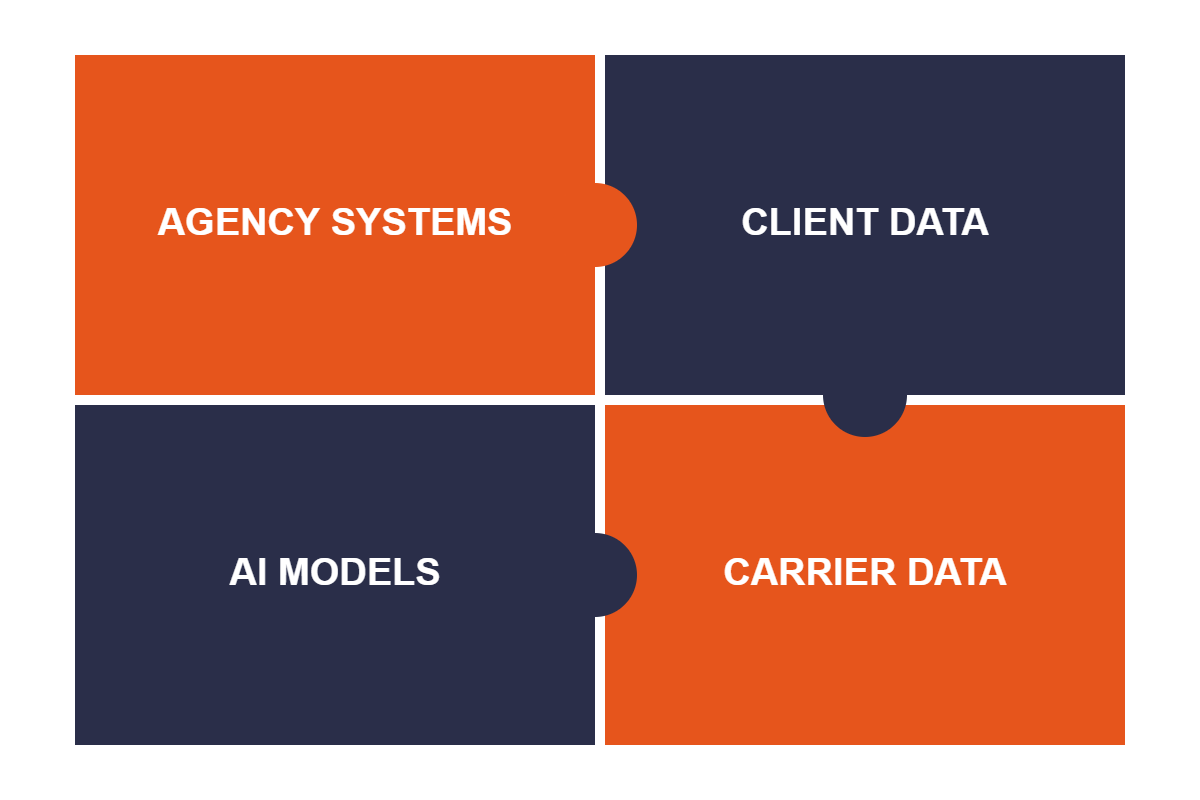
Bring what every office already runs on. Agency management systems across the firm, document stores, client exposure data, carrier submission and quoting data, and your own LLM provider, connected once and available to everyone cleared for them.
• Connect multiple agency management systems, not just one
• API connectors for carrier and third-party data
• Your LLM provider, your keys, your contract
• Runs in your VPC, on-prem, or air-gapped
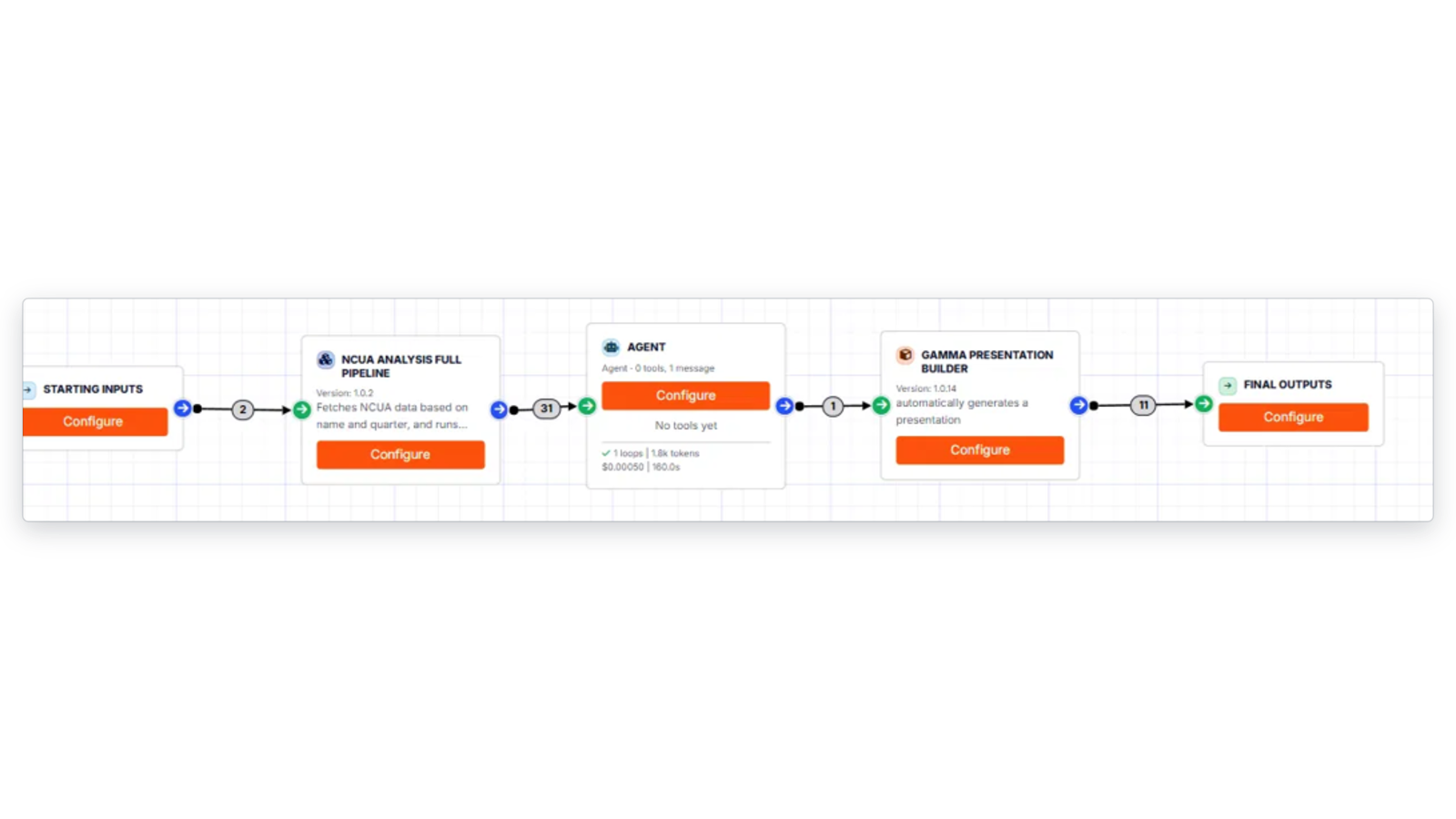
Assemble components into placement and servicing workflows. Operations teams build in the no-code canvas, risk places the review checkpoints, and technical staff extend the same components through the API.
• Drag-and-drop agentic workflow builder
• Review checkpoints wherever output reaches a client or a carrier
• Chain models, connectors, and LLM steps
• Full API and code path when you have the staff for it
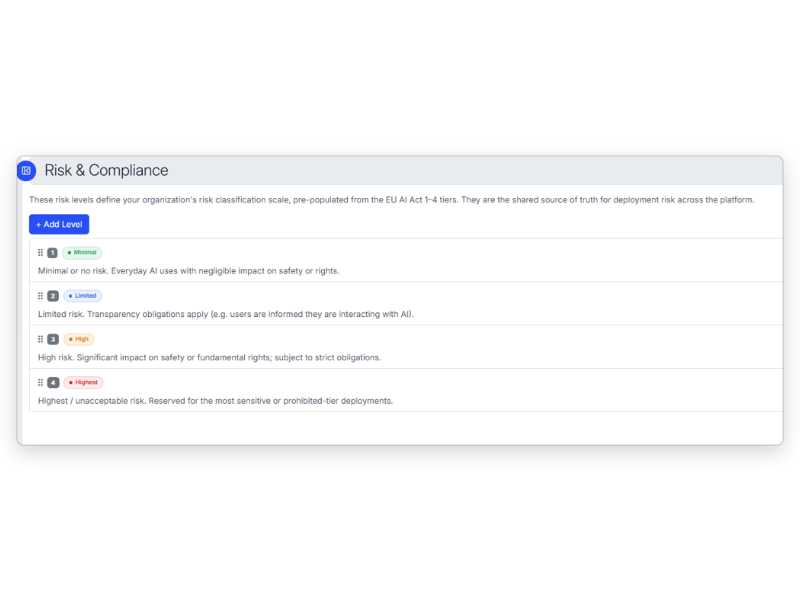
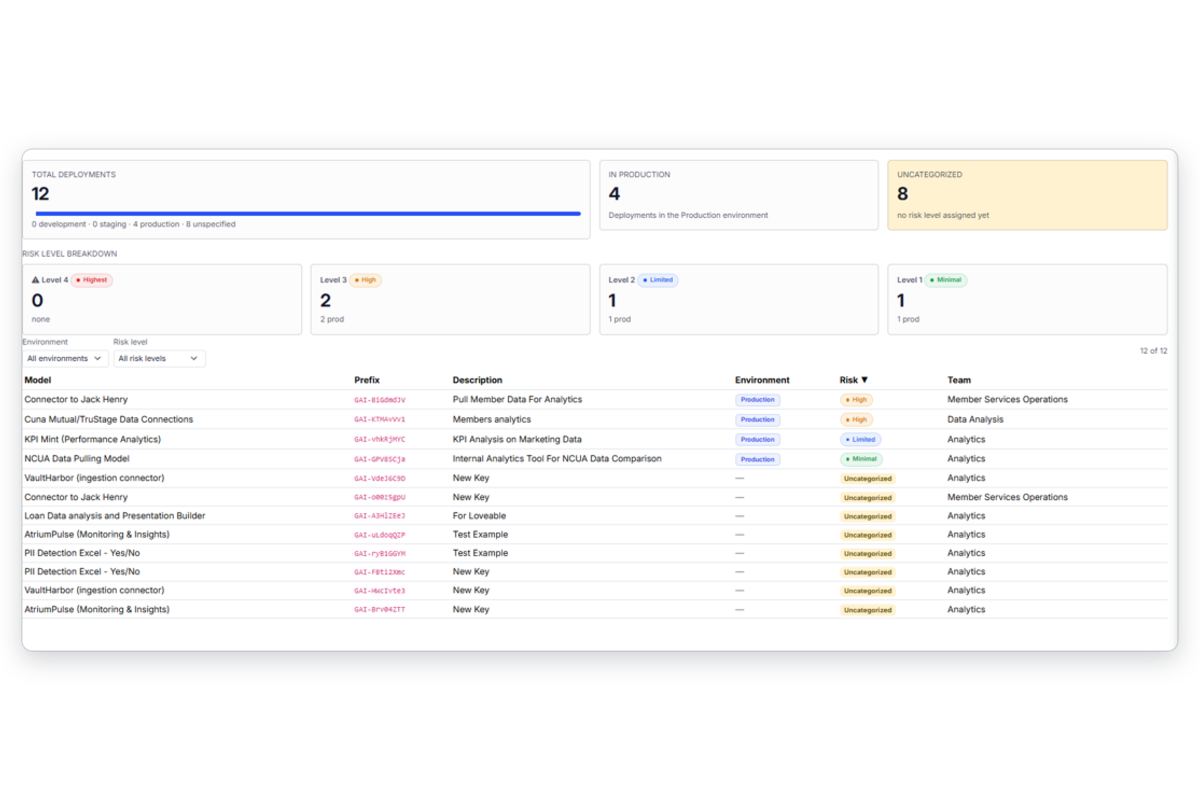
Every component carries a risk level and its own documentation, generated as it is built. Every deployment across every office shows up in one dashboard, including the tools a single region adopted on its own.
• Risk tier assigned per component
• Business, implementation, and risk documentation generated with the artifact
• Single dashboard across every office and system
• Access control, audit trail, and lineage by default
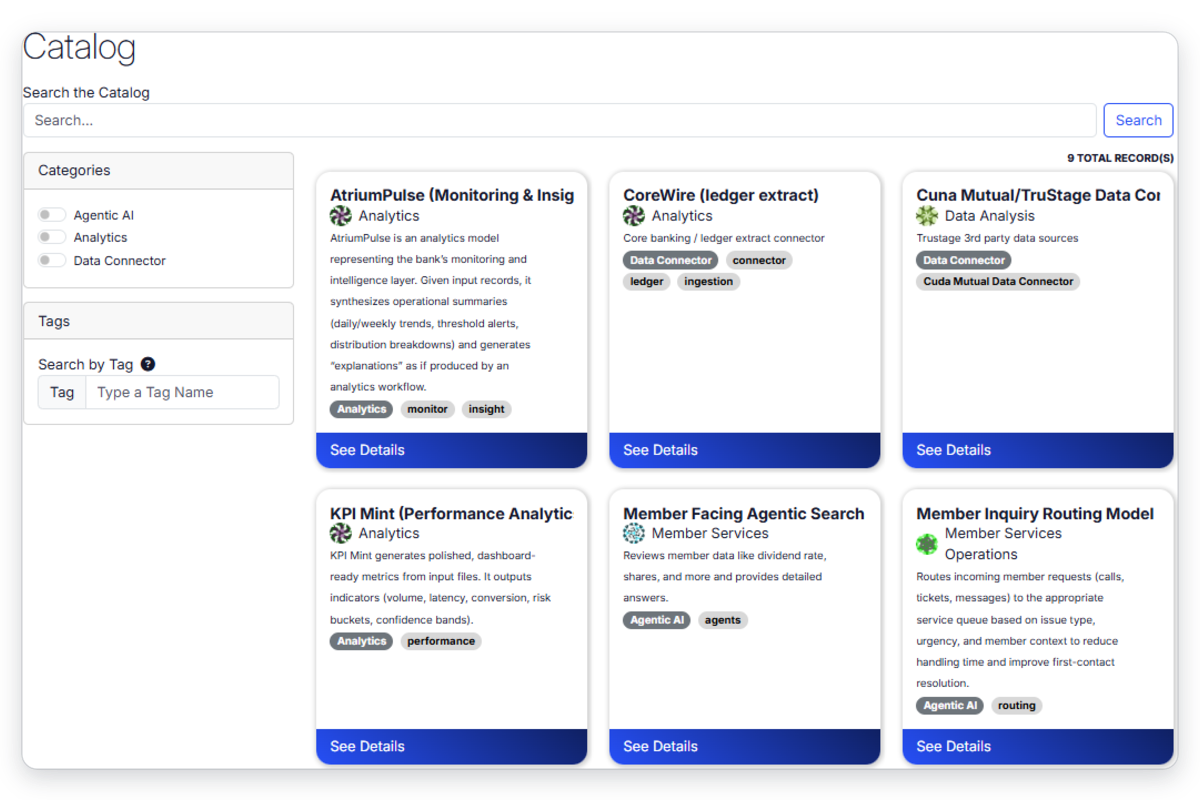
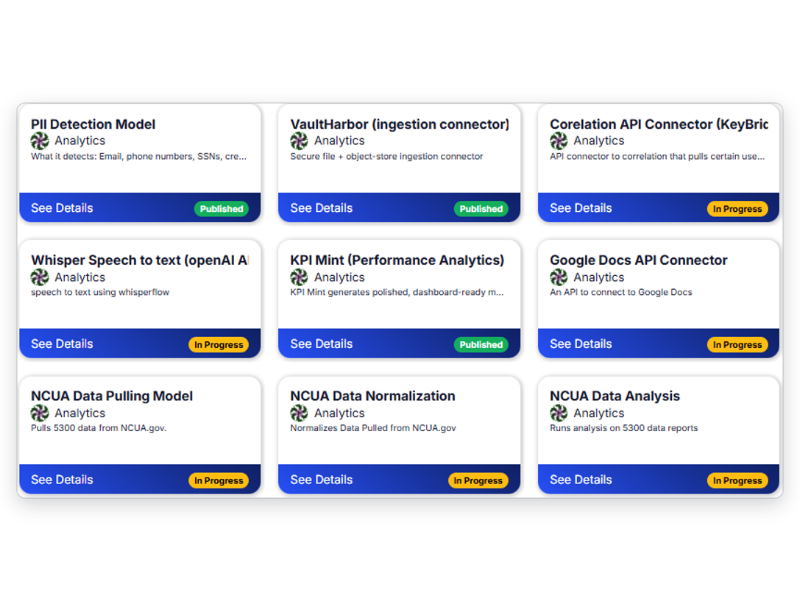
Publish to an internal catalog so one method reaches the whole firm. The submission workflow built by your largest region becomes the starting point for the agency you close next quarter, with its documentation and review checkpoints already attached.
• Internal catalog of models, workflows, and connectors
• One method across offices instead of one per office
• Versioning and rollback per component
• Onboard an acquisition onto proven components
One platform, three teams pulling in different directions
The chief operating officer
One method across offices instead of one per office
Onboard an acquisition onto components that already work
Consistent output quality across every producer
Pilot with one region before the firm
The head of data and technology
Connect the agency systems you inherited rather than replacing them
Publish work as a governed service other offices can use
Your LLM provider, your keys, your contract
One place to version, roll back, and retire what you shipped
The general counsel or risk lead
Every component touching client or carrier data in one inventory
Review checkpoints before advice leaves the firm
Documentation and lineage that exist because the platform made them
A reconstructable record behind a specific recommendation
Where brokerages start
Patterns placement and servicing teams build with governed components.
Build it, bolt it on, or deploy it governed
| Feature | Build in-house | Point solution per use case | gravityAI |
|---|---|---|---|
| Governance attached to the deployed artifact | — | — | ✓ |
| Lineage from a recommendation back to the data behind it | — | — | ✓ |
| Runs across multiple agency management systems | — | — | ✓ |
| Review checkpoints before output reaches a client | — | ✓ | ✓ |
| One inventory across every office and acquisition | — | — | ✓ |
| Runs inside your own cloud | ✓ | — | ✓ |
| Live without a multi-quarter build | — | ✓ | ✓ |
Questions we get from brokerages
No. Components connect to the systems you already have, which is the point. A method built against one region's data can reach another office without waiting on a platform migration, and the inventory covers all of them at once.
Every component carries generated documentation and lineage from output back to source, so you can show what produced a recommendation, what information it used, and who reviewed it before it left the firm. Review checkpoints sit wherever output reaches a client.
Access control is applied per component and per data source, and deployments run inside your own environment. What a component may touch is a setting rather than a convention someone has to remember.
Yes. Non-technical users build in the no-code interface, and technical users work through the API when you have them. Operations teams are the primary builders in most brokerage deployments.
No. It sits on top of it. gravityAI connects to the management systems, document stores, and carrier APIs you already have, and makes what gets built on them governable and reusable.
No. You connect your own LLM provider under your own contract, and your client and carrier data stays in your environment.